
Manage Teams, Control Access & Simplify Service Operations
SCROLE helps service businesses organize engineers, office staff, managers, and business owners with structured role-based access and operational control.
View All Features
Give each team member access only to the information and actions required for their role.
SCROLE helps service businesses streamline daily operations by centralizing service calls, customer information, engineer updates, product history, warranty tracking, and billing workflows into one organized system.
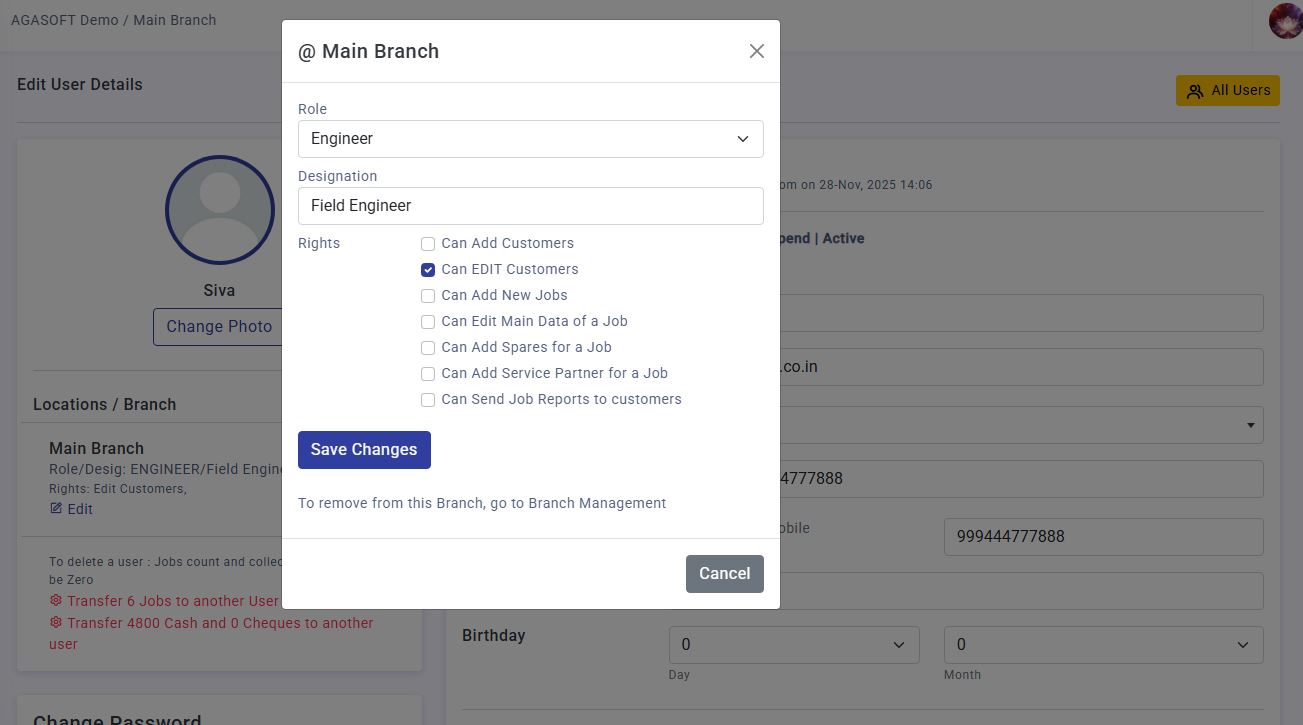
Manage user roles and access permissions securely.
Many service businesses still operate with shared usernames, unrestricted software access, and no permission management. As teams grow, this creates serious operational and security challenges.
Without structured access control, service operations become difficult to manage professionally.
SCROLE provides separate operational panels and secure role-based access control for different users within the organization.
Access only assigned service operations and field activities.
Manage customer records, service entries, and coordination.
Monitor workflows, reports, team performance, and operations.
Full control over business settings, permissions, and analytics.
Each user only sees the modules, actions, and data permitted for their assigned role.
SCROLE provides separate operational panels and permission-based access for engineers, office staff, managers, and business owners.
Engineers only see the jobs, customer information, and operational features relevant to their daily field work.
Access assigned service calls, customer details, complaint information, and product history.
Update call status, submit service reports, spare usage, and closure updates directly from the field.
Engineers work efficiently without unnecessary access to sensitive business operations.
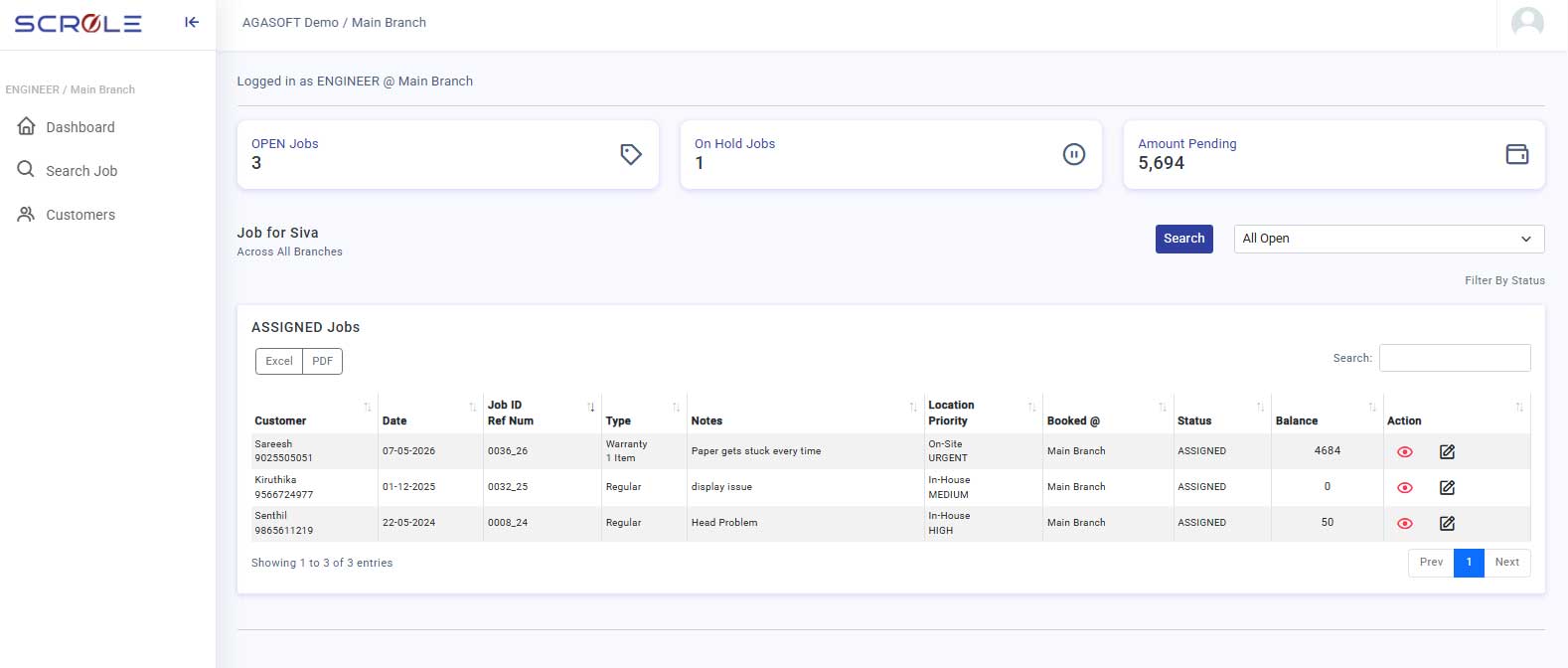
Engineers can manage calls and update service activity easily.
Office teams and managers receive broader operational visibility for handling daily service coordination.
Manage service calls, engineer assignments, and customer communication.
Track warranty information, invoices, contracts, and operational activities.
Monitor ongoing service calls and improve coordination between departments.
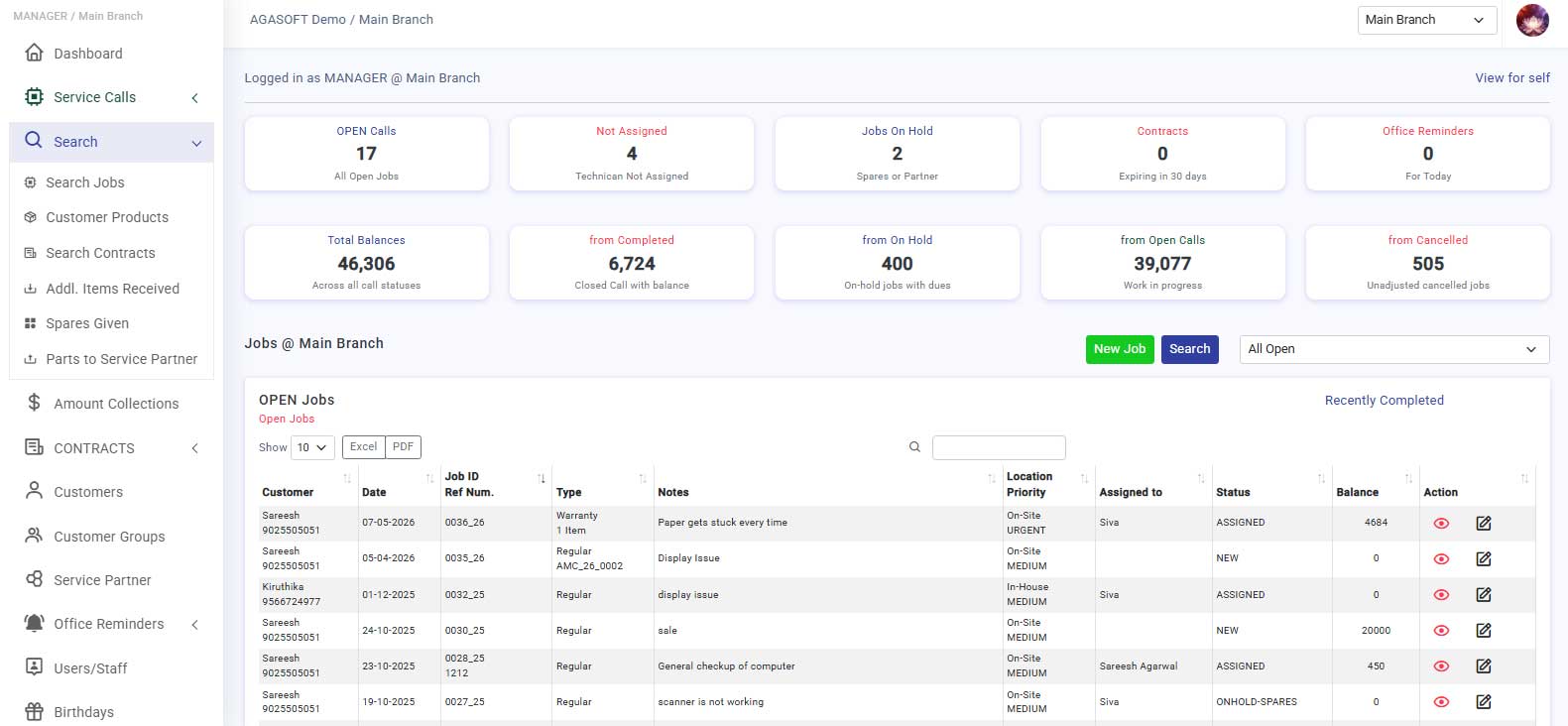
Monitor service operations and team activity centrally.
Business owners and administrators receive complete control over users, permissions, settings, analytics, and branch-level operations.
Create users and manage permissions across different departments.
Access reports, analytics, branch controls, and downloadable operational data.
Maintain centralized operational security and workflow management.
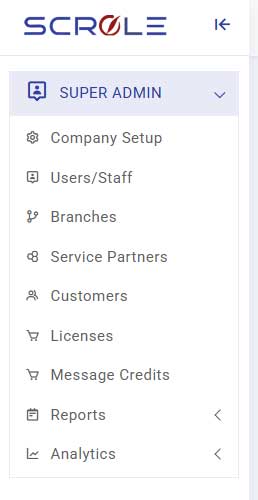
SCROLE restricts access to modules unrelated to employee responsibilities.
Engineers cannot access system settings, reports, analytics, or user management.
Businesses can define optional permissions for editing customers or service details.
Role-based tracking improves accountability and operational transparency.
Everything you need to know about user roles, permissions, branch control, and security management in SCROLE.
SCROLE helps service businesses organize engineers, office staff, managers, and business owners with structured role-based access and operational control.
View All Features

At SCROLE, we're committed to revolutionizing the way repair and servicing management is handled. With a focus on efficiency and excellence, we've developed an all-in-one solution that empowers businesses to streamline their operations and deliver exceptional service to their customers.